
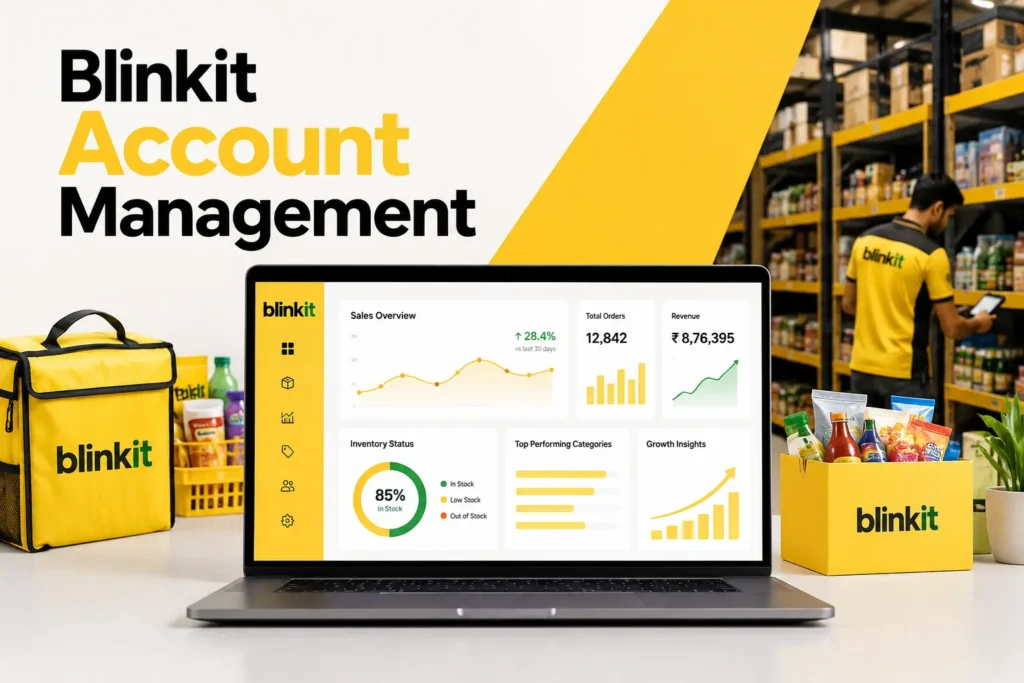
Most brands celebrate the day they go live on Blinkit — and then watch their sales flatline within two weeks. Getting listed is not the same as growing. Blinkit’s algorithm actively rewards brands that stay in stock, run in-app ads, and maintain strong operational metrics. Without active account management, even a great product gets buried. This guide tells you exactly what Blinkit account management involves, why it matters, and how to build a system that turns your Blinkit listing into a consistent, growing revenue channel.
Many D2C brands and FMCG sellers make the mistake of treating Blinkit as a “set it and forget it” channel. They complete onboarding, upload their listings, fulfil the first Purchase Order — and then wait for orders to pour in. They don’t. Quick commerce is a highly dynamic, algorithmically driven marketplace where your visibility, ranking, and sales velocity are constantly shifting based on how actively you manage your account.
Blinkit account management is the ongoing process of monitoring, optimising, and growing your brand’s presence on the platform — covering inventory, advertising, pricing, Category Manager relations, performance analytics, and cluster expansion. This guide covers each of these pillars in depth.
What is Blinkit Account Management — And Why Can’t You Ignore It?
Blinkit account management refers to all the activities required to maintain and grow your brand’s performance on the platform after you go live. It is an ongoing commitment — not a one-time setup task. Here is what it covers and why each element matters:
📦
Inventory Management
Monitoring stock levels across all clusters in real time, predicting demand, placing replenishment orders before OOS situations, and ensuring Blinkit’s dark stores never run dry for your SKUs.
🔴 Most Critical
📢
In-App Advertising
Managing Blinkit’s sponsored product placements, category banner ads, and search listing boosts. Deploying PLA credits strategically and running paid campaigns that drive visibility and trial purchases.
⚡ High Impact
🤝
Category Manager Relations
Maintaining an active, professional relationship with your assigned Category Manager to access promotional slots, negotiate better cluster placements, resolve issues fast, and get early access to campaign opportunities.
🎯 Key Relationship
📊
Performance Analytics
Tracking units sold, sell-through rate, revenue per cluster, cost per acquisition, and return rate for every SKU — weekly — and using data to make informed decisions about pricing, SKU prioritisation, and ad spend.
📈 Data-Driven
🏷️
Pricing & Promotions
Monitoring competitor pricing in your category, adjusting your selling price competitively within margin boundaries, and participating in Blinkit’s platform-wide promotional events that drive volume spikes.
💰 Margin Management
🗺️
Cluster Expansion
Using sales velocity data from existing clusters to justify and execute expansion into new city zones — managing the APOB GST process, PLA payments, and initial inventory deployment for each new cluster.
🚀 Growth Engine
💡 Why This Cannot Be Ignored
Blinkit’s listing algorithm ranks products based on sales velocity, in-stock rate, and ad activity. A brand that goes live and stops actively managing its account loses ranking within 2–3 weeks — and with ranking loss comes reduced impressions, fewer orders, and a downward spiral that is hard to reverse. Active account management is not optional — it is what keeps your listing alive and growing.
Key Metrics Every Blinkit Seller Must Track Weekly
You cannot manage what you don’t measure. These are the exact metrics your team — or your account management agency — must review every week to maintain and grow your Blinkit performance:
📊 Blinkit Seller Performance Dashboard — Weekly Snapshot97%In-Stock Rate (Target: 100%)▲ Good — Maintain₹1.8LWeekly Revenue (all clusters)▲ +14% vs last week312Units Sold (all SKUs)▲ +9% vs last week₹578Avg. Revenue Per Order▼ -3% — Monitor84%Sell-Through Rate▲ Strong velocity2.1%Return / Cancellation Rate▲ Below 3% target₹12KAd Spend This Week▲ ROAS: 4.2x3Active Clusters▲ Expansion ready
| Metric | What It Tells You | Target Benchmark | Action if Below Target |
|---|---|---|---|
| In-Stock Rate | % of time your SKUs are available in each cluster | 100% | Immediate reorder — OOS kills ranking within days |
| Units Sold Per SKU | Daily/weekly sales velocity per product | Category-specific | Increase ad spend or request promotional placement from CM |
| Sell-Through Rate | % of stocked inventory sold before next replenishment | 70–90% | Review pricing competitiveness; consider discounting slow movers |
| Return/Cancellation Rate | % of orders returned or cancelled | Under 3% | Investigate product quality, packaging damage, or listing mismatch |
| Ad ROAS | Return on ad spend from in-app campaigns | 3x – 6x | Optimise targeting, test new creatives, adjust bid strategy |
| Revenue Per Cluster | How much each city cluster contributes to total revenue | Growing MoM | Underperforming clusters need CM discussion on visibility & placement |
| Settlement Accuracy | Checks if payment received matches expected after commission | 100% accurate | Raise discrepancy with Blinkit finance team immediately |
Inventory Management on Blinkit — The #1 Account Management Priority
Of all the variables that determine your success on Blinkit, inventory management is the most important and the most commonly mismanaged. Blinkit’s algorithm treats out-of-stock events as a negative signal — reducing your product’s ranking in category search results for days or weeks after the event, even after you restock.
✅100–70%
Healthy Stock Level
Your product is well-stocked in the dark store. Full visibility in category search. No algorithmic penalty. Replenishment order should be placed when approaching 40%.
⚠️40–30%
Reorder Trigger Zone
Immediate replenishment PO should be raised. At this level you have 3–5 days before OOS at average sales velocity. Do not wait for Blinkit to flag it.
🚨Under 20%
Critical — Urgent Action
Emergency replenishment required. Listing will begin losing search ranking. Contact your CM immediately and escalate fulfillment of a new PO as a priority.
How to Build a Reliable Inventory Management System for Blinkit
- →Set weekly stock review reminders — check inventory levels in your seller dashboard every Monday without fail, regardless of how sales are going.
- →Calculate your sales velocity per SKU per cluster — know how many units each SKU sells per day in each cluster so you can predict OOS dates accurately.
- →Build a 2-week buffer — always maintain at least 14 days of stock in each dark store based on average daily sales velocity. This accounts for demand spikes and logistics delays.
- →Plan inventory spikes for campaign periods — Blinkit’s promotional events (flash sales, festive campaigns) can 3–5x your normal daily sales velocity. Anticipate these with pre-stocked inventory.
- →Track perishable / shelf-life products separately — if your products have expiry dates, monitor them proactively to avoid returns and listing suspensions due to expired inventory at the dark store.
⚠️ The OOS Penalty is Real: An out-of-stock event lasting just 48 hours on Blinkit can drop your category search ranking by 20–40 positions — a position loss that takes 1–3 weeks to recover from, even after you restock. Every OOS event is lost revenue compounded by lost future visibility.
Blinkit In-App Advertising — How to Get 3x More Visibility
Most sellers treat their PLA credit as a technical requirement — something to “spend” rather than something to “invest.” The brands growing fastest on Blinkit treat in-app advertising as a core growth lever that compounds over time.
1
Deploy Your PLA Credit Immediately After Go-Live
The ₹25,000 ad credit you receive under the SOR model should be activated within the first 30 days of going live. Brands that deploy it immediately see significantly higher visibility in their first month — generating the early sales velocity that feeds Blinkit’s organic ranking algorithm. Delaying ad credit usage is one of the most common and costly mistakes new Blinkit sellers make.
2
Use Sponsored Search Placements for High-Intent Keywords
Blinkit’s in-app search is where the highest-intent buyers are — customers who already know what they want and are actively looking for it. Bidding on category keywords (e.g., “protein bar,” “cold pressed juice,” “face serum”) ensures your product appears at the top of search results at the moment a buyer is most ready to purchase. This is the highest-converting placement on the platform.
3
Run Category Banner Ads for New Product Awareness
Category banners appear when customers browse a specific category — e.g., “Snacks & Munchies” or “Personal Care.” These placements are ideal for new SKU launches and impulse purchase products. While conversion rate is lower than search ads, banner ads build the brand familiarity that drives direct search and repeat purchase behaviour over time.
4
Increase Ad Spend During Peak Demand Periods
Blinkit experiences significant demand spikes during festive seasons, weekends, monsoon season (for certain categories), and platform-wide promotional events. Pre-plan your ad budget to spend 40–60% more during these periods. The incremental visibility during high-traffic moments generates disproportionate sales uplift compared to the same spend during low-traffic periods.
5
Track ROAS Weekly and Optimise Underperforming Campaigns
Measure your Return on Ad Spend every week — revenue generated divided by ad spend. A healthy ROAS for Blinkit in-app ads is 3x–6x. If ROAS is below 2x, the campaign targeting, creative, or product listing itself needs attention. Never let underperforming campaigns run unchecked for more than two weeks — they drain your ad budget without driving meaningful sales.
Category Manager Relations — Your Most Valuable Blinkit Asset
Your Blinkit Category Manager (CM) is not just an approval gatekeeper — they are a growth partner with the authority to give your brand access to promotional slots, better shelf placement in the dark store, priority in upcoming campaign events, and faster resolution of operational issues. Most brands treat their CM as a formality. The ones growing fastest treat them as a key business relationship.
📅
Regular Structured Check-ins
Schedule a monthly 30-minute call with your CM. Share your sales data, upcoming product launches, and growth targets. CMs who see brands proactively engaged give them priority access to campaign opportunities.
Monthly Cadence
🎪
Secure Campaign Participation Early
Blinkit runs periodic promotional campaigns — flash sales, category days, festive events. Brands must request participation in advance through their CM. These campaigns can drive 3–10x normal sales velocity for 24–72 hours.
3–10x Sales Spike
📍
Negotiate Better Dark Store Placement
Within the dark store, product shelf placement affects pick speed and order fulfilment accuracy. Products placed at eye-level have lower mis-pick rates. Your CM can advocate for better placement as your sales volume improves.
Operational Advantage
🆕
Get New SKUs Listed Faster
An established CM relationship dramatically reduces the time needed to add new SKUs to your catalogue. A CM who trusts your brand’s operational reliability will prioritise your new listing reviews over brands without that track record.
Faster SKU Expansion
🔧
Resolve Issues Before They Escalate
Payment discrepancies, listing errors, dark store operational issues, or incorrect return attributions — all are resolved significantly faster with a CM who knows your brand. Without this relationship, tickets can sit unresolved for weeks.
Fast Issue Resolution
📊
Get Access to Category Performance Data
CMs have access to category-level data — top-selling SKUs, price benchmarks, demand trends by cluster — not available in the standard seller dashboard. Brands with strong CM relationships can use this to make smarter decisions than competitors.
Competitive Intelligence
Blinkit Pricing Strategy — Staying Competitive Without Destroying Margins
Pricing on Blinkit is not static. Your category competitors adjust prices, Blinkit runs discount campaigns, and consumer price sensitivity varies by cluster. A strong account management system includes ongoing pricing review and adjustment.
| Pricing Scenario | What Happens | Recommended Action | Priority |
|---|---|---|---|
| Your price is highest in category | Customers choose lower-priced competitors; your conversion rate drops | Review margin — small price reduction often recovers more volume than the margin lost | Urgent |
| Your price is significantly lowest | High conversion but margin erosion — potentially loss-making per unit | Gradually increase price by 3–5% per week to find the optimum conversion/margin balance | Monitor |
| Blinkit runs a platform-wide discount event | Customer expectations for deals are elevated; standard-priced products see CTR drop | Participate with a meaningful discount (10–20%) for the campaign duration; build volume | Participate |
| Competitor launches similar SKU at lower price | Your existing customers may switch; new customers choose competitor | Differentiate on value (better pack size, bundle offering) rather than matching on price alone | Strategic |
| High sell-through rate with frequent OOS | Demand exceeds supply — you may be underpriced relative to demand | Test a 5–8% price increase — strong demand can absorb it without significant volume loss | Opportunity |
📌 Key Pricing Rule: Never go below a 30% gross margin (after Blinkit commission and logistics) on any Blinkit SKU. Selling at a loss to drive volume on quick commerce is not a viable strategy — unlike some e-commerce models, Blinkit does not provide the scale to offset margin losses. Build pricing discipline from day one.
Cluster Expansion — When and How to Scale to New Cities
Starting in one or two Blinkit clusters is smart. Expanding to new clusters too early — before your initial clusters are stable — is one of the most common ways brands dilute their inventory budget and underperform everywhere. Here is a framework for responsible cluster expansion:
| Expansion Readiness Signal | What It Means | Ready to Expand? |
|---|---|---|
| 90%+ in-stock rate for 8+ consecutive weeks | Your supply chain is stable enough to reliably stock a new dark store | ✓ Green Signal |
| 80%+ sell-through rate in current clusters | Product has proven demand at current price — likely to replicate in new clusters | ✓ Green Signal |
| Positive ROAS (3x+) in existing clusters | Ad spend is generating profitable returns — expansion will compound this | ✓ Green Signal |
| Frequent OOS events in current clusters | Your supply chain cannot reliably service current demand — expansion will make this worse | ✗ Fix First |
| Below 50% sell-through rate | Product is not moving in current clusters — expansion will multiply unsold inventory | ✗ Fix First |
| APOB for new cluster already filed | GST compliance is ready — no last-minute delays to go-live in new cluster | ✓ Pre-Requisite |
- ✓File APOB for the new cluster in parallel — APOB setup takes 7–15 working days. Start the GST portal process 3–4 weeks before your planned expansion date so it does not become the bottleneck.
- ✓Confirm category demand with your CM — not every category performs equally in every cluster. Get your CM’s view on whether your product category has strong demand in the target city before committing PLA spend.
- ✓Allocate separate inventory budget per cluster — do not share inventory across clusters. Each dark store requires its own dedicated stock buffer. Mixing inventory leads to OOS in high-demand clusters while slow clusters sit overstocked.
- ✓Launch with your proven hero SKUs first — do not attempt to launch your full SKU range in a new cluster. Take the 2–3 SKUs with the strongest velocity in your existing clusters and lead with those in the new market.
- ✓Activate in-app ads immediately on new cluster go-live — a new cluster listing with zero ad support starts with zero visibility. Allocate a dedicated ad budget for the first 30 days of each new cluster launch to build initial velocity.
Warning Signs — Your Blinkit Account Needs Immediate Attention
Not all account health issues are obvious. These are the signals that should trigger an urgent account management review:
📉Week-on-week sales decline for 2+ consecutive weeks
A consistent revenue drop is not a coincidence — it signals either a ranking loss (caused by OOS or poor ad performance), a competitor entering your category, or a pricing issue. Investigate immediately rather than waiting for it to “self-correct.”🔍Your product no longer appears in top 5 of category search
Log in to the Blinkit app as a customer and search your category. If your product has dropped from the first page of results, your algorithmic ranking has declined — likely due to OOS events, reduced ad spend, or a competitor’s increased activity.⏱️Category Manager is not responding within 48 hours
Unresponsive CMs can signal a change in Blinkit’s internal team structure or a deprioritisation of your account. Escalate through the Blinkit seller support portal and ensure your brand deck and performance data are updated for any new CM assignment.💸Settlement amounts don’t match your expected calculations
If your received payment is consistently less than your calculation of (units sold × selling price) minus commission, there may be billing errors, unauthorised returns being charged to your account, or commission rate discrepancies. Audit every settlement statement.📦Return rate creeping above 3%
A rising return rate is an early warning sign of product quality issues, packaging damage in transit to the dark store, or a listing inaccuracy (product description doesn’t match what customers receive). Investigate the root cause — Blinkit can delist products with persistently high return rates.📢Ad ROAS dropping below 2x for 2+ consecutive weeks
A sustained ROAS below 2x means your in-app advertising is not generating profitable returns. This is usually caused by poor targeting, an uncompetitive selling price, weak product images, or a competitor with a stronger listing winning the same placement.
Monthly Account Management Review — What Should Happen Every Month
A professional Blinkit account management service runs a structured monthly review across all the key dimensions of your account. Here is what that looks like:
📦 Inventory Review
- →Stock levels per SKU per cluster
- →OOS incidents in the past 30 days
- →Sell-through rate vs forecast
- →Upcoming demand events (festivals, campaigns)
- →Replenishment PO planning for next 30 days
📢 Advertising Review
- →Total ad spend vs budget for the month
- →ROAS per campaign and per SKU
- →Impressions and click-through rate trends
- →Top-performing vs underperforming ad placements
- →Budget reallocation for next month
💰 Revenue & Margin Review
- →Revenue per cluster vs last month
- →Commission charges reconciliation
- →Settlement statement audit
- →Net margin per SKU after all costs
- →Pricing adjustments based on category benchmarks
🤝 Category Manager Update
- →Upcoming campaign participation opportunities
- →New SKU listing requests and timelines
- →Cluster expansion feasibility discussion
- →Any operational or compliance issues raised
- →Competitive category intelligence shared by CM
“The brands that win on Blinkit long-term are not the ones with the most products — they are the ones with the most disciplined account management systems, running every week without fail.”
What Brand Chanakya’s Blinkit Account Management Service Includes
Brand Chanakya provides a comprehensive, data-driven Blinkit account management service for D2C brands and FMCG sellers across India. Here is exactly what our retainer service covers every month:
- ✓Weekly inventory monitoring: Stock level checks across all your clusters every Monday. Reorder alerts sent 14 days before projected OOS based on your current sales velocity.
- ✓In-app advertising management: Full setup, weekly optimisation, and monthly reporting of your Blinkit sponsored placements, category banners, and search ad campaigns. PLA credit deployed strategically within 30 days of go-live.
- ✓Category Manager communication: We maintain an active relationship with your assigned CM — monthly check-in calls, new SKU listing follow-ups, campaign participation requests, and rapid issue escalation on your behalf.
- ✓Monthly performance report: A comprehensive report covering revenue, units sold, sell-through rate, ROAS, settlement reconciliation, and actionable recommendations — delivered by the 5th of every month.
- ✓Settlement audit: Every Blinkit settlement statement is cross-checked against your expected revenue. Discrepancies are raised with Blinkit’s finance team immediately — most sellers never do this and silently lose revenue.
- ✓Pricing review & competitive monitoring: Monthly check of your product’s price vs top 5 competitors in your category — with specific recommendations on whether to adjust price, pack size, or bundle offering.
- ✓Cluster expansion planning: When your performance metrics indicate readiness, we initiate the APOB setup, coordinate with your CM for new cluster approval, and plan the inventory and advertising launch for each new market.
- ✓New SKU addition support: Adding new products to your Blinkit catalogue — compliance-ready listing creation, CM coordination, and image review — included in the monthly retainer for up to 3 new SKUs per month.
Frequently Asked Questions — Blinkit Account Management
Q
What is the difference between Blinkit onboarding and account management?Blinkit onboarding is a one-time process — it covers registration, documentation, APOB setup, product listing, and getting your brand live on the platform for the first time. Account management is an ongoing monthly service that begins after go-live — it covers everything that happens after: inventory, advertising, analytics, CM relations, pricing, settlements, and expansion. You need both — onboarding gets you in, account management determines how much you grow.Q
How much does Blinkit account management typically cost?Professional Blinkit account management retainers in India typically range from ₹15,000 to ₹35,000 per month depending on the number of SKUs, active clusters, and scope of service (advertising management included or excluded). This is separate from your ad spend budget which goes directly to Blinkit. Brand Chanakya’s retainer is customised to your brand’s size and growth stage — book a free consultation for a specific quote.Q
Can I manage my Blinkit account myself without an agency?Yes — the seller dashboard provides access to inventory data, order tracking, and basic performance metrics. However, effective account management requires structured weekly reviews, active CM communication, advertising expertise, and settlement auditing — all of which take significant time and specialist knowledge. Most founders running their business full-time find that self-managing their Blinkit account results in reactive firefighting rather than proactive growth.Q
How quickly can a managed account outperform a self-managed one?In our experience, brands switching from self-managed to professionally managed Blinkit accounts typically see measurable improvement within 4–6 weeks — driven primarily by consistent in-stock management, activated advertising campaigns, and more proactive CM engagement. The full impact of professional account management typically compounds over 3–6 months as brand visibility, repeat purchase rates, and cluster expansion contribute to sustained revenue growth.Q
What happens if my sales are low on Blinkit — should I invest in account management?Low sales on Blinkit almost always have a diagnosable cause — OOS events, poor listing quality, no advertising, wrong cluster selection, or an uncompetitive price. Account management is precisely the service that identifies and resolves these causes. Starting account management when sales are low — rather than waiting until they improve on their own (they won’t) — is the fastest path to turning around an underperforming Blinkit presence.
The Bottom Line — Going Live Is Step One. Growing Is the Real Work.
Blinkit’s quick commerce opportunity is genuinely significant — a growing market, high-intent buyers, strong repeat purchase behaviour, and less competition per SKU than traditional marketplaces. But none of that translates into revenue automatically. It requires a disciplined, consistent account management system running week after week.
The brands that will dominate their categories on Blinkit in the next 2–3 years are already investing in the infrastructure to manage their accounts professionally — inventory buffers, advertising programmes, CM relationships, and analytics-driven decision making. The ones that treat Blinkit as a passive listing will watch those brands take the market.
✅ Key Takeaways
✔ Blinkit account management is ongoing — it starts the day you go live, not months later
✔ In-stock rate (100% target) is the single most important metric — OOS kills ranking within days
✔ Deploy your PLA ad credit within 30 days of go-live — early ad activity builds ranking momentum
✔ Track 7 core metrics weekly: in-stock rate, units sold, sell-through rate, return rate, ROAS, revenue per cluster, and settlement accuracy
✔ Your Category Manager is a growth partner — invest in the relationship with monthly structured check-ins
✔ Only expand to new clusters when your existing clusters show 90%+ in-stock rate and 80%+ sell-through
✔ Brand Chanakya provides end-to-end monthly Blinkit account management for D2C brands and FMCG sellers across India
Let’s Grow Your Blinkit Sales — Together
Brand Chanakya’s Blinkit account management service covers inventory, advertising, CM relations, analytics, settlements, and cluster expansion — everything your brand needs to grow consistently on quick commerce after go-live.