 Special Offer - Flat 18% off on annual payments!


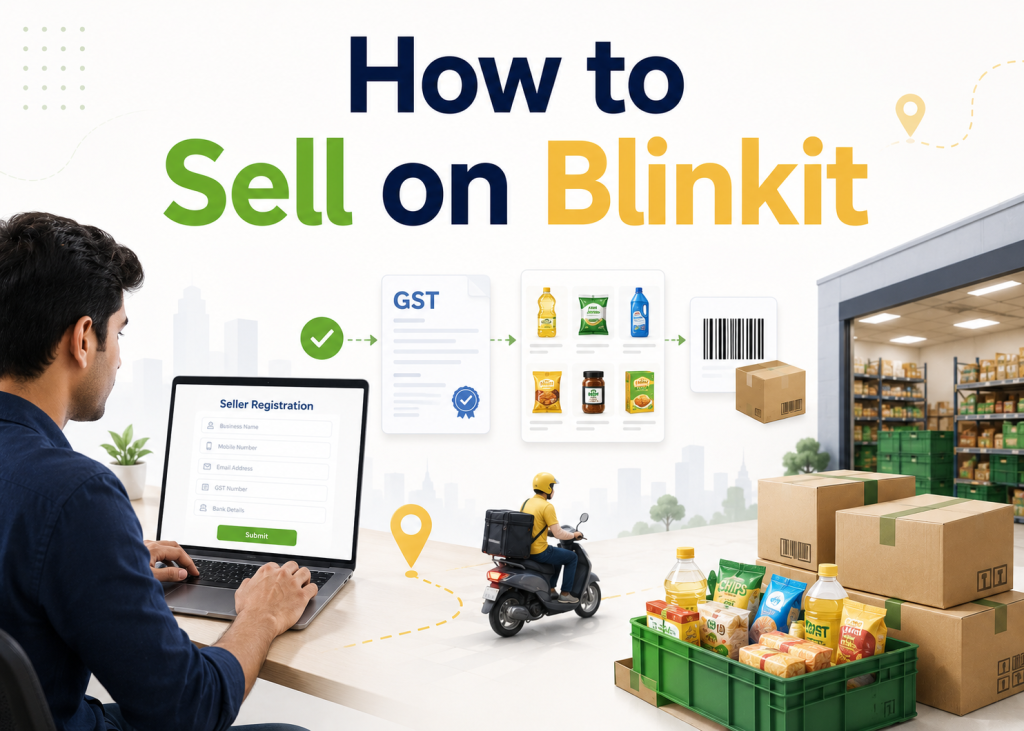
Unlike Amazon or Flipkart where sellers can self-register and go live in days, Blinkit operates a curated, category-managed marketplace. It is more selective, more structured, and has a higher compliance bar — but it rewards brands that prepare properly with lower competition per SKU, higher impulse purchase rates, and strong repeat buyer behaviour.
Whether you are a first-time Blinkit seller or an established FMCG brand expanding into quick commerce, this guide walks you through every stage — from understanding who Blinkit is right for, to product listing, pricing strategy, account growth tactics, and the mistakes that cost brands their onboarding approval.
Is Blinkit the Right Platform for Your Brand?
Before investing time and resources into Blinkit seller registration, confirm that your brand and product line genuinely fits the quick commerce model. Blinkit is ideal for specific business types — and genuinely unsuitable for others.
D2C Consumer Brands
Brands with packaged products in food, personal care, supplements, or home essentials are an ideal fit. Quick commerce creates impulse purchase opportunities and strong first-trial moments.
✓ Strong Fit
FMCG Manufacturers
Established manufacturers with high-velocity SKUs, consistent supply chains, and category-compliant packaging benefit enormously from Blinkit’s repeat-purchase customer base.
✓ Ideal Fit
Regional Distributors
Distributors with the warehouse capacity and supply consistency to stock Blinkit dark stores across city clusters can establish a strong recurring revenue stream.
✓ Good Fit
New / Unregistered Brands
Brands without GST registration, a trademark, or consistent packaging compliance will face immediate rejection. Blinkit requires legal and operational readiness before applying.
Not Ready Yet
Custom / Made-to-Order Products
Products that require customisation, long production times, or have no standardised SKUs do not fit the dark store quick-delivery model that Blinkit operates on.
Poor Fit
Electronics & Accessories
Mobile accessories, earbuds, chargers and small electronics have a growing presence on Blinkit, particularly in metro clusters. Compliance requirements are lighter than food categories.
✓ Emerging Fit
How Blinkit is Different from Amazon & Flipkart — Know Before You Register
Many sellers approach Blinkit the same way they approached Amazon or Flipkart — and get caught off guard by how different the process, model, and requirements actually are. Here is a clear comparison:
- Curated marketplace — not every seller is accepted
- Category Manager must approve your products
- Inventory stocked in Blinkit’s dark stores
- 10-minute delivery — hyperlocal model
- 30–60 day onboarding process
- APOB GST setup is mandatory before go-live
- PLA charges apply under SOR model
- High impulse purchase + repeat buyer rate
- Open marketplace — most sellers approved
- No Category Manager — self-managed listings
- Inventory in Amazon FC or self-shipped
- 1–3 day standard delivery
- Seller registration in 3–5 days
- No APOB requirement
- No mandatory listing fees (category-specific exceptions)
- High competition per SKU, price wars common
- Open marketplace with category approvals
- Self-managed product listings
- Inventory in Flipkart WH or self-shipped
- 1–3 day delivery standard
- Seller registration in 3–7 days
- No APOB requirement
- Commission-based model, no listing fees
- Strong in tier-2 & tier-3 city reach
Blinkit’s curated model means less competition per category per city cluster compared to Amazon or Flipkart. Once you are listed in a cluster, you face far fewer competing brands than on traditional marketplaces. The barrier to entry is higher — but the competitive advantage once inside is significantly greater.
Pre-Registration Checklist — Get These Ready Before You Apply
The single biggest time-waster in Blinkit seller registration is starting the process before everything is in order. Complete this checklist fully before opening the Blinkit Seller Hub:
| Requirement | What to Prepare | Status | Time to Arrange |
|---|---|---|---|
| Active GSTIN | 15-digit GST certificate — active, name-matched to business | Mandatory | 15–30 days if not yet registered |
| Business PAN | PAN in business name matching GST registration | Mandatory | 7–10 days if needed |
| Business Bank Account | Current account in company/brand name with cancelled cheque | Mandatory | 7–14 days if new |
| Business Registration Proof | CIN, Udyam Certificate, or Partnership Deed | Mandatory | Available or 7–10 days |
| Trademark Certificate | Registered TM or application acknowledgement | Mandatory | Apply immediately if not done — 12–18 months for full grant |
| FSSAI License | Central or state FSSAI for all food/beverage/nutrition SKUs | Food Sellers | 30–60 days if not yet applied |
| Professional Product Photos | White background, 1000×1000px min, all angles, barcode visible | Mandatory | 1–3 days (professional shoot) |
| Product Catalogue / Brand Deck | SKU list with MRP, weight, barcode, description, USPs per product | Mandatory | 2–5 days to prepare |
| APOB on GST Portal | Add Blinkit warehouse as Additional Place of Business — get ARN | Mandatory | 7–15 working days on GST portal |
| Barcode / UPC Codes | Each SKU must have a unique, scannable barcode on packaging | Mandatory | 1–2 days to procure if missing |
How to Register on the Blinkit Seller Hub — Step by Step
Once your pre-registration checklist is complete, here is the exact process to register and go live on Blinkit’s Seller Hub:
Visit the Blinkit Seller Hub & Create Your Account
Go to the official Blinkit Seller Hub portal. Select “Sell on Blinkit” and enter your active business email. Verify via OTP. Then enter your selling category, business name, designation, and mobile number. Verify your mobile with a second OTP and save your details. Your seller account is now created.
Verify Your GSTIN
Enter your 15-digit GST Identification Number. Blinkit’s system automatically fetches your business name, registered address, and entity type from the government database. Click “Verify.” If there are any discrepancies between your GSTIN details and your other documents, resolve them before proceeding — mismatches at this stage will block your entire application.
Upload Business Documents & Brand Information
Submit your business registration proof, PAN card, trademark certificate (or application acknowledgement), FSSAI license if applicable, and bank account details. Also enter your brand name, brand description, and any supporting brand information. All files must be in PDF format and clearly readable — blurry or low-resolution uploads are a top rejection cause.
Category Selection & Commercial Terms Discussion
Select the primary and secondary product categories you wish to sell in. A Blinkit Category Manager (CM) will be assigned to your account after initial review. The CM reviews your brand profile, product range, and category fit. This is a critical stage — your CM decides whether your brand goes forward. Having a clear brand deck, strong product images, and defined USPs dramatically improves your chances of fast CM approval.
Product Listing Upload with Your Category Manager
Work with your CM to upload each SKU. Required fields per product: brand name, product name, UPC/EAN barcode, category, MRP, selling price, weight/dimensions, product description, ingredients/composition (food), images, and videos if applicable. Images must meet Blinkit’s guidelines — white or light background, all angles, packaging clearly visible. Blinkit takes 3–7 business days to approve each SKU after submission.
APOB Setup on GST Portal (Run This in Parallel)
Log in to the GST portal (gst.gov.in) and apply to add Blinkit’s dark store/warehouse address as an Additional Place of Business under your GST registration. After submission, you receive an ARN (Application Reference Number). Share this ARN with your Blinkit Category Manager. APOB approval on the GST portal takes 7–15 working days — start this step the day you begin registration to avoid delays at the end.
PLA Payment (SOR Model) & First Purchase Order
If you are selling under the SOR (Sale or Return) model, you will be required to pay a PLA fee of ₹25,000 per SKU per cluster. This is returned as advertising credit on the Blinkit in-app advertising platform. Once PLA is cleared and APOB is verified, Blinkit generates your first Purchase Order. Fulfil the PO accurately and on time — your first PO delivery sets the tone for your relationship with Blinkit’s operations team.
Go Live & Access Your Seller Dashboard
Once your first PO is fulfilled and products are stocked in the dark store, your listings go live on the Blinkit app. You now have access to your seller dashboard — where you can track orders, monitor inventory levels at each dark store cluster, view payment settlements, and see basic performance metrics for each SKU.
How to List Products on Blinkit — Optimisation Tips That Get You Approved Faster
Product listing on Blinkit is not just about filling in fields. The quality of your listing determines both approval speed and in-app search ranking once you go live. Here is how to optimise every element:
Product Title
Use the format: Brand Name + Product Name + Key Attribute + Pack Size. Example: “Amul Butter Salted 500g.” Keep it under 80 characters. Avoid promotional language like “Best” or “Cheapest.”
Product Images
Minimum 1000×1000px. White or light background for primary image. Include: front, back, side, and a lifestyle shot. Ensure MRP, weight, and barcode are clearly visible on packaging shots.
MRP & Selling Price
MRP must match the printed MRP on physical packaging. Your selling price (what Blinkit charges the customer) may differ but cannot exceed MRP. Mismatches between listing price and physical MRP cause immediate rejection.
Pack Size & Weight
Enter the exact weight and dimensions. Blinkit uses these for dark store shelf planning and delivery logistics. Incorrect weights cause fulfilment issues and can lead to your listings being flagged.
Barcode / UPC / EAN
Every SKU must have a unique, scannable barcode. If your product does not yet have one, obtain a GS1 India barcode before submitting your listing. Blinkit’s dark store operations require accurate barcodes for every product.
Product Description
Write a clear, factual description: what it is, key ingredients or materials, how to use, and why it is better. For food products, include full ingredients list, nutritional information, and allergen warnings — these are mandatory.
- Match product name exactly to physical packaging
- Use white background for primary product image
- Include all nutritional/ingredient info for food SKUs
- Ensure barcode is scannable and unique per SKU
- List MRP that matches physical product label
- Submit at least 3 high-resolution images per SKU
- Start with 2–3 high-velocity SKUs, not your full range
- Use promotional words in titles (“Best,” “Cheapest,” “#1”)
- Upload lifestyle-only images with no product-only shot
- Submit blurry, low-resolution, or watermarked photos
- Enter an MRP different from what’s printed on pack
- Reuse the same barcode across different pack sizes
- Submit incomplete descriptions without required fields
- List products in categories Blinkit doesn’t support in your city
Blinkit Pricing Strategy — How to Set the Right Selling Price
Pricing on Blinkit requires a different approach than traditional e-commerce. Your selling price must account for Blinkit’s commission, your production cost, and still be competitive enough for impulse-purchase customers. Here is how to calculate it correctly:
| Price Component | Example (₹100 MRP Product) | Notes |
|---|---|---|
| MRP (Maximum Retail Price) | ₹100 | Must match physical packaging — cannot be changed without reprinting |
| Blinkit Commission (12% example) | ₹12 | Ranges 8–20% depending on category; confirm with your CM |
| GST on Commission | ₹2.16 (18% GST on ₹12) | GST is charged on the commission amount, not the product price |
| Your Cost of Goods Sold | ₹40 (example) | Manufacturing / procurement cost per unit |
| Packaging & Logistics to Dark Store | ₹5 (example) | Cost to deliver stock to Blinkit’s dark store in your cluster |
| Net Margin Per Unit | ₹40.84 | ₹100 − ₹12 − ₹2.16 − ₹40 − ₹5 = ₹40.84 net per unit sold |
How to Grow Your Sales on Blinkit After Going Live
Going live on Blinkit is the beginning — not the finish line. Brands that simply list their products and wait rarely see meaningful sales. The ones that grow fast are those that actively manage their Blinkit presence. Here are the six most impactful growth strategies:
-
Maintain 100% In-Stock Rate Across All Clusters
Out-of-stock listings on Blinkit immediately lose placement in category search results. Blinkit’s algorithm heavily penalises products with frequent OOS events. Set inventory reorder alerts at 30% stock level and supply new POs proactively — do not wait for Blinkit to raise a PO before replenishing.
-
Invest Your PLA Credit Strategically in In-App Ads
The ₹25,000 PLA credit you receive under the SOR model should be spent on Blinkit’s in-app advertising — banner placements, category top slots, and search sponsored listings. Brands that activate their ad credit within the first 30 days of going live see 2–3x more impressions than those who delay or ignore in-app advertising.
-
Start With 2–3 Hero SKUs, Not Your Full Range
Launching with too many SKUs dilutes your focus and inventory budget. Identify your 2–3 highest-velocity, most margin-friendly products and lead with those in your initial Blinkit clusters. Prove sales velocity with these hero SKUs first — then use that performance data to justify listing additional SKUs and expanding to new city clusters.
-
Expand to New Clusters Based on Sales Data
Blinkit operates in cluster-specific dark stores. Once your SKUs are performing well in your initial cluster (e.g., South Delhi), use your sales data to request expansion into adjacent clusters (e.g., Gurugram, Noida). Each expansion requires separate APOB and, under SOR model, separate PLA payments — but the incremental revenue is proportional.
-
Participate in Blinkit Deals, Offers & Campaign Events
Blinkit runs regular promotional campaigns — flash sales, category-specific discount events, and app-wide offers. Participating in these events significantly increases your product’s visibility and impressions. Work with your Category Manager to get included in upcoming campaigns. The short-term margin reduction is typically offset by volume uplift and new customer acquisition.
-
Monitor Your Seller Dashboard Weekly
Track key metrics every week: units sold per SKU, inventory levels per cluster, sell-through rate, and settlement amounts. Identify which SKUs are underperforming — low velocity products take up dark store shelf space that could be used by better-performing SKUs. Proactively communicate with your CM to optimise shelf allocation and address any listing or pricing issues early.
Target Keywords This Blog Covers
This content is optimised to rank for the following search queries that your potential clients — D2C founders and FMCG sellers — are actively searching:
how to sell products on Blinkit as a D2C brand
how to list products on Blinkit quick commerce
how to sell FMCG products on Blinkit India
Blinkit seller hub registration guide for new sellers
can small brands sell on Blinkit in India
Frequently Asked Questions — Selling on Blinkit
The Bottom Line — Is Blinkit Worth It for Your Brand?
India’s quick commerce market is on track to reach $26 billion by FY28 — growing at 73% CAGR. Blinkit, with its 40%+ market share and 1,000+ dark stores, is the dominant force in this space. For any packaged goods brand selling to urban Indian consumers, the question is not whether to be on Blinkit — it is how fast can you get there.
The registration process is detailed and takes time. The compliance bar is higher than traditional e-commerce. The Category Manager relationship requires active management. But the reward — consistent sales, high-intent buyers, strong repeat purchase rates, and category visibility in a less-crowded marketplace — makes Blinkit one of the highest-ROI channels available to Indian brands in 2026.
✔ Confirm your product category and supply chain fit before applying — Blinkit is selective
✔ Prepare all 10 documents in advance — GST, PAN, bank, trademark, FSSAI, APOB, photos
✔ Register on the Seller Hub → get a Category Manager → upload listings → set up APOB → go live
✔ The full process takes 30–60 days; a Blinkit onboarding agency can cut this by 2–3 weeks
✔ Start with 2–3 hero SKUs, not your full range — prove velocity before expanding clusters
✔ Maintain 100% stock availability and use your PLA ad credit — these are the #1 growth levers
✔ Monitor your seller dashboard weekly and treat your CM as a long-term growth partner
Want to Sell on Blinkit — Without the Hassle?
Brand Chanakya handles your complete Blinkit seller registration, document preparation, Category Manager coordination, product listing, and ongoing account management — so you go live faster and grow smarter.