
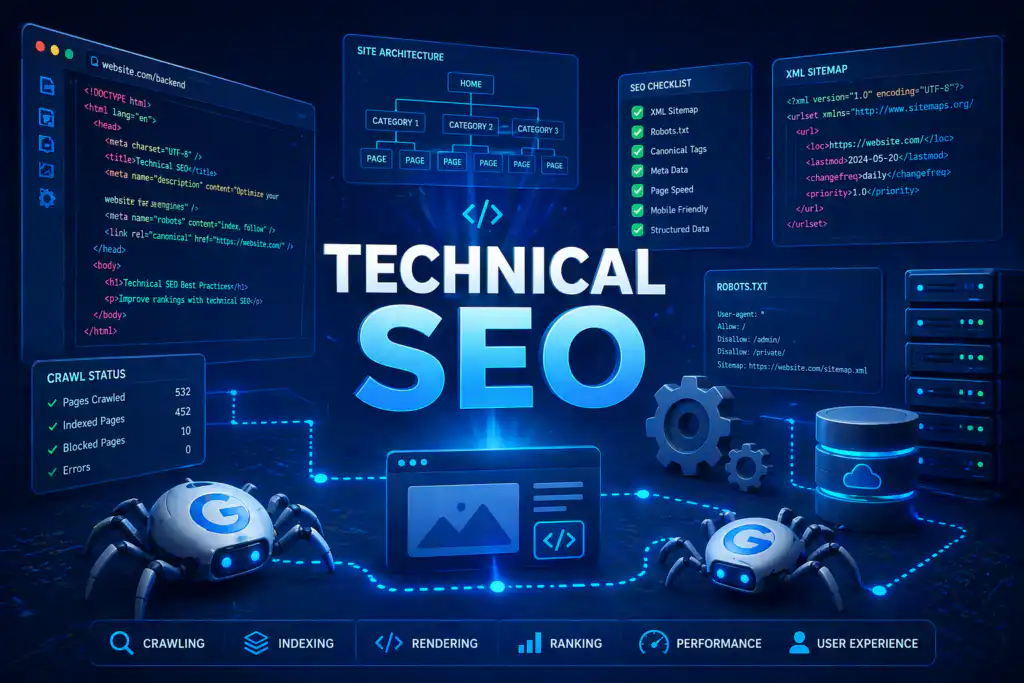
What is Technical SEO, Exactly?
Think of it this way. Your website has two layers:
- What humans see — your content, images, headlines, and design. This is what on-page SEO addresses.
- What Google sees — your code structure, server response times, page speed, internal linking, security, and dozens of other signals that determine whether Google can read and rank your site. This is what technical SEO addresses.
You can write the best content in the world, but if your website has technical problems, Google may never show it to
/. Technical SEO is the foundation that everything else sits on — and if the foundation is shaky, no amount of content or link building will save your rankings.
Why Does Technical SEO Matter for Your Business?
Google’s job is to find the most helpful, reliable, and fast-loading pages on the internet and surface them to searchers. When Google sends its automated bots (called “crawlers”) to your website, they evaluate hundreds of technical signals before deciding whether — and where — to rank your pages.
If your website has technical issues, three things happen:
- Google’s crawlers can’t properly access or understand your pages — so they can’t rank what they can’t read.
- Slow or unstable pages cause visitors to leave immediately (high bounce rate) — a signal to Google that your page isn’t meeting expectations.
- Competitors with cleaner, faster sites outrank you even if your content is better.
The good news: most technical SEO problems, once identified and fixed, stay fixed. A good technical SEO audit is typically a one-time investment followed by periodic maintenance — unlike content creation, which is ongoing. For most businesses, fixing technical issues delivers some of the fastest, most dramatic ranking improvements of any SEO activity.
The 8 Pillars of Technical SEO — Explained Simply
Technical SEO covers a wide range of factors, but they all fall under eight core pillars. Here’s what each one means in plain language:
1. Crawlability
Google uses automated bots called “crawlers” or “spiders” to discover and read web pages. Crawlability is how easily those bots can move through your website and access your pages. If a page is blocked, hidden behind a login, or has broken links leading to it, Google’s crawlers can’t reach it — and can’t rank it. Issues include a misconfigured robots.txt file, broken internal links, and redirect chains that send crawlers in circles.
2. Indexation
Even when Google can crawl a page, it may choose not to index it — meaning not add it to its database of pages eligible to appear in search results. Common problems include duplicate content, pages marked with a noindex tag by mistake, thin content with very little value, or pages that Google crawled but decided weren’t worth storing. If a page isn’t indexed, it cannot rank — full stop.
3. Site Speed
Page speed is a confirmed Google ranking factor and one of the biggest drivers of user experience. A slow website frustrates visitors, increases bounce rate, and signals to Google that your site delivers a poor experience. The main culprits are uncompressed images, bloated plugins, poor web hosting, unnecessary JavaScript, and no browser caching. Target: your main content should load within 2.5 seconds on mobile.
4. Mobile-Friendliness
Google uses mobile-first indexing, which means it evaluates the mobile version of your website when deciding rankings — even for desktop searches. If your site looks broken on a smartphone, has tiny text, buttons too small to tap, or requires horizontal scrolling, Google penalises your rankings. Over 60% of all Google searches now happen on mobile devices.
5. HTTPS Security
HTTPS (the padlock icon in your browser’s address bar) means your website has an SSL certificate and data is encrypted. Google has confirmed HTTPS as a ranking signal since 2014. Websites still running on plain HTTP are marked as “Not Secure” by Chrome, which damages visitor trust and your rankings. Fixing this is one of the quickest technical SEO wins available.
6. XML Sitemap
An XML sitemap is a file that lists all the important pages on your website and tells Google exactly where to find them. Think of it as handing Google a complete map of your site rather than making it wander around looking for pages. Without a sitemap submitted to Google Search Console, new pages take longer to get discovered and indexed.
7. Structured Data (Schema Markup)
Schema markup is code you add to your pages that helps Google understand what your content means — not just what it says. It can tell Google a number is a phone number, text is an FAQ, or a rating belongs to a product review. Well-implemented schema can earn your site rich results — enhanced listings with stars, prices, or FAQs that dramatically increase click-through rates.
8. URL Structure & Redirects
Clean, descriptive URLs — like /seo-services-udaipur/ instead of /page?id=42 — help Google and users understand what a page is about. Redirect chains (A→B→C→D), broken redirects, or pages returning 404 errors all bleed your site’s authority and confuse crawlers.
Core Web Vitals — Google’s User Experience Report Card
In 2021, Google introduced Core Web Vitals as official ranking factors — three specific, measurable metrics that assess the real-world experience of loading and using a web page.
Measures how long it takes for the largest visible element on your page — usually a hero image or headline — to fully load. This is your “perceived load speed” from the user’s perspective.
✅ Target: Under 2.5 seconds
Measures how quickly your page responds when a user clicks a button, taps a menu, or fills in a form. A sluggish response feels broken to users — even if the page loaded fast.
✅ Target: Under 200 milliseconds
Measures how much your page layout unexpectedly jumps around while loading. If a button moves just as a user goes to tap it, or text shifts as an ad loads — that’s a layout shift. Deeply frustrating for users.
✅ Target: Score of 0.1 or less
Go to Google PageSpeed Insights (pagespeed.web.dev) and enter your website URL. You’ll get a score out of 100 for both mobile and desktop, plus specific recommendations for what’s failing and how to fix it. Anything below 50 on mobile needs urgent attention.
What Causes Poor Core Web Vitals?
Understanding the causes helps you have more informed conversations with your developer or SEO agency:
| Core Web Vitals | Common Causes of Failure | Typical Fix |
|---|---|---|
| LCP (Slow loading) | Large uncompressed images, slow server response, render-blocking JavaScript | Compress images, upgrade hosting, lazy-load offscreen images |
| INP (Slow interactivity) | Heavy JavaScript executing on every user interaction, bloated page code | Optimise JS, defer non-critical scripts, reduce third-party code |
| CLS (Layout shifts) | Images without defined dimensions, late-loading ads, and web fonts are causing text flash | Set explicit width/height on images, reserve ad space, and preload fonts |
What Does a Technical SEO Audit Actually Look At?
When a professional SEO agency performs a technical audit of your website, here is what they are actually checking — and what problems they’re looking for:
“Most business owners are shocked to find 30–50 technical issues on websites they thought were perfectly fine. These silent problems are costing them rankings every single day.”
— Brand Chanakya, Technical SEO Team
Technical SEO vs On-Page SEO vs Off-Page SEO — What’s the Difference?
These three terms come up constantly in SEO conversations. Here’s the clearest possible distinction:
Technical SEO
What it is: The backend structure — speed, crawlability, indexation, security, schema, site architecture.
Analogy: The plumbing and electrical wiring of your building. Invisible but essential. If it fails, nothing else works.
Who does it: Usually a technical SEO specialist or developer, guided by an SEO audit.
On-Page SEO
What it is: The content and HTML elements on each page — title tags, meta descriptions, headings, keyword usage, internal links, image alt text.
Analogy: The interior design and signage inside your building. It determines how useful and relevant your pages are.
Who does it: SEO content strategists and writers.
Off-Page SEO
What it is: Everything outside your website that signals authority — backlinks from other sites, brand mentions, social signals, Google Business Profile.
Analogy: Your building’s reputation in the neighbourhood. What others say about you.
Who does it: Link builders, PR specialists, and outreach teams.
The Right Order
Technical SEO first — without a solid foundation, nothing else stacks. On-page SEO second — once Google can crawl your site, give it the right signals on each page. Off-page SEO third — build authority once the foundation is sound. Investing in link building before fixing technical issues is like advertising a shop that’s locked shut.
Signs Your Website Has Technical SEO Problems Right Now
You don’t need to be a developer to spot the warning signs that technical SEO issues are holding your rankings back. Watch out for these:
- Your website takes more than 3–4 seconds to load on mobile. Test it yourself on your phone on a 4G connection — not your office WiFi.
- Google Search Console is showing coverage errors — pages with “Discovered but not indexed,” “Crawled but not indexed,” or 404 errors.
- Your site traffic dropped suddenly after a Google algorithm update — Core Updates often disproportionately affect sites with technical weaknesses.
- Pages you know exist aren’t appearing in Google — type
site:yourwebsite.cominto Google and check how many pages are indexed. - Your site shows as “Not Secure” in Chrome (HTTP instead of HTTPS).
- Your website looks broken on a smartphone — text is too small, elements overlap, or users have to scroll sideways.
- You’ve changed URLs, deleted pages, or migrated your site without proper redirect planning — this is one of the most common and catastrophic causes of ranking loss.
- Images on your website are several megabytes in size — large images are the single most common cause of slow page load times.
Website migrations — moving from one domain to another, switching from HTTP to HTTPS, or rebuilding your site on a new platform — are the highest-risk technical events in SEO. Done incorrectly, they can wipe out years of ranking progress overnight. Always involve an SEO professional before migrating a website.
Free Tools to Check Your Website’s Technical Health
You don’t need to spend anything to get a basic picture of your website’s technical SEO health. These free tools will tell you a lot:
- Google Search Console (search.google.com/search-console) — The most important tool. Shows you exactly which pages Google has indexed, what errors exist, your Core Web Vitals scores, and which queries are driving traffic. Free and directly from Google.
- Google PageSpeed Insights (pagespeed.web.dev) — Enter any URL and get a detailed speed and Core Web Vitals report with specific, prioritized recommendations.
- Google Mobile-Friendly Test (search.google.com/test/mobile-friendly) — Instantly checks whether Google considers your website mobile-friendly.
- Google Rich Results Test (search.google.com/test/rich-results) — Checks whether your schema markup is valid and which rich results your pages are eligible for.
- Screaming Frog SEO Spider (free up to 500 URLs) — A desktop tool that crawls your website the same way Google does, identifying broken links, missing meta tags, redirect chains, and duplicate content.
- GTmetrix (gtmetrix.com) — Detailed waterfall analysis of your page load time, showing exactly which elements are slowing your site down.
If you’ve never set up Google Search Console for your website, do it today — it’s free and takes 10 minutes. It will immediately surface any critical issues Google has found with your site, including manual penalties, coverage errors, and Core Web Vitals failures. Go to search.google.com/search-console to get started.
How Long Does Technical SEO Take to Show Results?
Technical SEO improvements generally show results faster than content or link-building initiatives — because you’re removing obstacles rather than building from scratch. Here’s a realistic timeline:
| Fix Type | Time to Implement | Time to See Impact |
|---|---|---|
| HTTP → HTTPS migration | 1–3 days | 2–4 weeks |
| Image compression & speed fixes | 1–5 days | 2–6 weeks |
| Fixing crawl errors & broken links | 1–7 days | 4–8 weeks |
| XML sitemap submission | 1 day | 1–4 weeks (faster indexing) |
| Schema markup implementation | 3–10 days | 4–8 weeks (rich results) |
| Mobile responsiveness overhaul | 1–4 weeks | 6–12 weeks |
| Core Web Vitals optimization | 2–6 weeks | 6–12 weeks |
| Full site architecture restructure | 4–12 weeks | 3–6 months |
The quick wins — HTTPS, image compression, sitemap submission, fixing obvious crawl errors — are often the highest-return technical SEO investments because they cost relatively little to implement and can produce visible ranking improvements within weeks.
Not Sure What Technical Issues Your Website Has?
Brand Chanakya’s team will run a comprehensive technical SEO audit of your website — completely free — and give you a prioritized list of exactly what needs fixing and why.
Frequently Asked Questions About Technical SEO
How Brand Chanakya Handles Technical SEO
At Brand Chanakya, technical SEO is the first thing we address with every new client — before content, before link building, before anything else. We’ve seen too many businesses waste months on content and outreach while fundamental technical problems prevent Google from even reading their pages properly.
Our technical SEO process begins with a 100-point audit covering every factor covered in this guide — and many more. We use professional tools, including Screaming Frog, Ahrefs, SEMrush, and Google Search Console to build a complete picture of your website’s technical health. We then prioritise fixes by impact and implement them in collaboration with your development team — or handle implementation ourselves.
Every client receives a plain-language audit report that explains what was found, why it matters, and exactly what was done to fix it. No jargon, no mystery — just clear accountability for every technical improvement.
Learn more about our comprehensive SEO services in Udaipur or get in touch for a free technical audit.
The Bottom Line
Technical SEO isn’t about code or servers. It’s about making sure Google can find, read, understand, and trust your website — and ensuring every visitor who arrives gets a fast, smooth, reliable experience.
It is the foundation of all SEO. Without it, content and links underperform. With it, every other SEO investment works harder and delivers results faster.
The best time to fix your website’s technical SEO was the day you launched it. The second best time is today.