 Special Offer - Flat 18% off on annual payments!


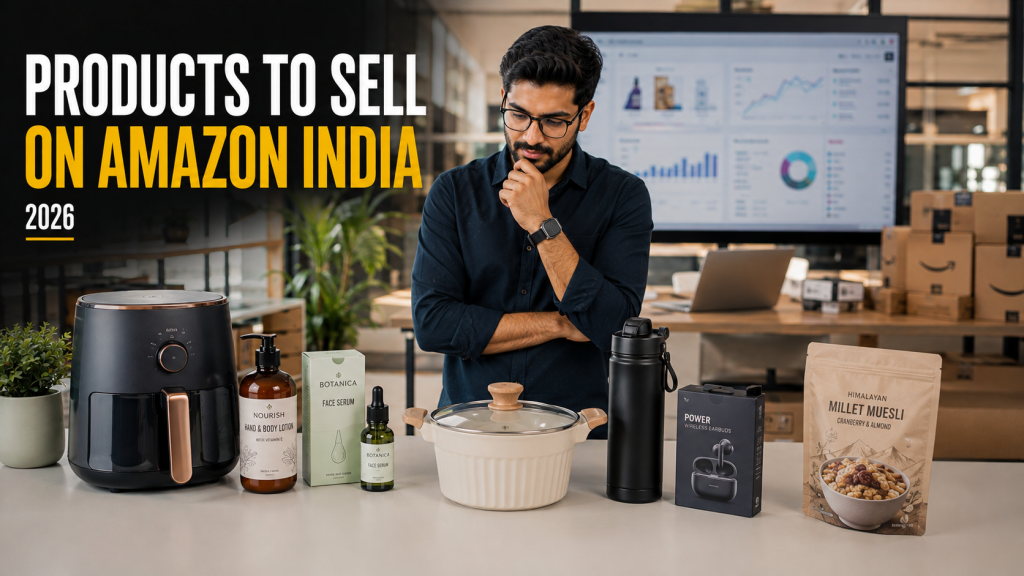
We get this question constantly from brands with 40, 60, sometimes 100 SKUs: “Which of these should we actually put on Blinkit?” The honest answer is almost never “all of them.” Quick commerce rewards a narrow, deliberately chosen product-market fit far more than a wide catalog dump — and picking the wrong SKUs to lead with is one of the most common, and most avoidable, reasons a Blinkit launch underperforms.
The instinct to list everything comes from an Amazon or Flipkart mindset, where a wider catalog generally means more chances to rank for more searches. Blinkit works differently — every SKU you add competes for the same limited dark-store shelf space and your team’s limited attention, so a catalog of three well-chosen products that stay in stock and well-priced will consistently outperform ten mediocre-fit products spread thin.
✅ The Quick Commerce Product-Fit Test
Before choosing which SKUs to launch with, score each one against these five criteria:
✓
✓
✓
✓
✓
A product that scores well on most of these is a strong quick commerce candidate regardless of category. A product that scores poorly on three or more — even if it sells brilliantly on Amazon or your own website — is usually a weak first pick for Blinkit.
It’s worth stress-testing each SKU against these honestly rather than optimistically. Founders are often closest to their bestseller and most tempted to lead with it regardless of fit — but a mismatched hero product can burn through your first 90 days of ad credit and Category Manager goodwill on a SKU that was never going to convert well in a 10-minute delivery context.
💰 The Price Point Sweet Spot
Price is the single biggest lever in quick commerce conversion, because the entire behaviour Blinkit is built around is a low-friction, low-consideration purchase.
₹50 – ₹150
Very strong
₹150 – ₹300
Strong
₹300 – ₹700
Moderate
₹700 – ₹1,500
Weaker, needs a niche
₹1,500+
Generally poor fit
This isn’t an absolute rule — premium beauty and wellness brands do sell above ₹700 on Blinkit, especially on the Zepto side of quick commerce where audience skews more willing to spend on discovery. But for a first launch, staying inside the ₹50–₹300 band gives you the highest odds of a fast, repeatable conversion pattern.
🗂️ Categories That Perform Well on Blinkit
| Category | Why It Works |
|---|---|
| Snacks & beverages | High repeat frequency, strong impulse trigger |
| Personal care essentials | Predictable reorder cycle, low consideration |
| Baby care | Urgency-driven, parents don’t want to wait |
| Home & cleaning basics | “Ran out mid-task” is a classic Blinkit trigger |
| Health & wellness (accessible price point) | Growing category, strong on Zepto specifically |
| Pet care essentials | Recurring need, underserved by traditional retail speed |
Notice the pattern across all six: every one of them is a category where the customer’s trigger moment is “I need this now,” not “I’ll plan ahead for this.” That trigger moment is really what you’re screening for when you evaluate a category or SKU — not the category label itself, but whether it genuinely produces that urgency in a real shopper’s day.
📦 Pack Size & SKU Strategy
Quick commerce pack sizes rarely match your Amazon or general trade pack sizes, and that’s intentional, not a compromise. Smaller, more frequent-purchase packs typically outperform bulk packs on Blinkit for three reasons: they fit the impulse price band, they fit dark-store shelf space more efficiently, and they build repeat-purchase frequency that compounds ranking over time.
If your existing pack sizes were built for a monthly big-basket shop rather than a top-up purchase, consider whether a genuinely new SKU variant — not just a relabeled existing pack — makes sense for quick commerce specifically. It’s an extra production step, but it’s usually the difference between a listing that merely exists and one that actually converts.
💡
Start narrow: launch with 2–3 of your best-fit, highest-margin SKUs rather than your full range. A tight launch batch is easier to keep in stock, easier to advertise effectively, and gives you cleaner sales data to decide what to add next.
🚫 Products That Struggle on Quick Commerce
🐢
Low purchase frequency
Items bought once every few months don’t build the repeat-order momentum the algorithm rewards.
💎
High price, high consideration
Products that need research or comparison before purchase don’t fit a 10-minute decision window.
📐
Bulky or fragile items
Anything that doesn’t survive dark-store handling and rider transport reliably becomes a returns problem.
🌡️
Special storage needs
Products requiring specific temperature or humidity control add operational complexity most dark stores aren’t built for.
🧮 Margin Math — Can Your Product Afford Quick Commerce?
Before locking in a launch SKU, run the numbers. Quick commerce economics are different from D2C or general trade — commission, ad spend, and quick-commerce-specific pack costs all eat into margin before you see a rupee.
| Cost Factor | Typical Impact |
|---|---|
| Platform commission | 10–20% of sale price, category-dependent |
| Ad spend to sustain visibility | Ongoing, scales with how competitive your category is |
| Smaller pack production cost | Per-unit packaging cost often rises for smaller formats |
| Promotional participation | Deal calendar events typically expect 15–30% off to stay visible |
A product with healthy margin on Amazon can turn margin-negative on Blinkit if these factors aren’t priced in from the start. Model your unit economics with these four line items before committing to a launch SKU, not after you’re already live and discounting to stay visible.
A useful sanity check: take your current landed cost, subtract platform commission at the higher end of the range for your category, subtract a realistic ongoing ad spend per unit sold, and see what’s left. If that number doesn’t comfortably clear your minimum acceptable margin, either the price needs adjusting, the pack size needs rethinking, or that particular SKU isn’t ready for Blinkit yet — better to find that out on a spreadsheet than three months into a live listing.
The best-selling product in your catalog and the best product to launch with on Blinkit are not always the same SKU.
❓ Frequently Asked Questions
Should I launch my bestseller or a Blinkit-specific SKU?
If your bestseller scores well on the product-fit test above, launch it. If it’s a high-consideration or bulky item, consider creating a smaller, quick-commerce-specific pack size instead of forcing an ill-fitting SKU onto the platform.
How many SKUs should I launch with?
2–3 tightly chosen SKUs is the ideal starting point. It’s easier to keep a small batch in stock and advertised well, and you’ll have cleaner data to decide what to add next.
Can premium or high-price products ever work on Blinkit?
Yes, particularly in beauty, wellness, and specialty categories — but they generally need a stronger brand story and tend to perform better on Zepto’s more discovery-friendly audience than on Blinkit’s broader, more routine-purchase base.
Do I need different pack sizes specifically for Blinkit?
Often yes. Smaller, quick-commerce-specific packs generally outperform your standard retail or D2C pack sizes on price accessibility and shelf efficiency.
Can Brand Chanakya help decide which products to launch with?
Yes — product-fit and launch SKU selection is part of our onboarding and account management process, based on category benchmarks across the brands we manage.
Not sure which SKUs to lead with?
We’ll score your catalog against Blinkit’s product-fit factors and tell you exactly which SKUs to launch first.