
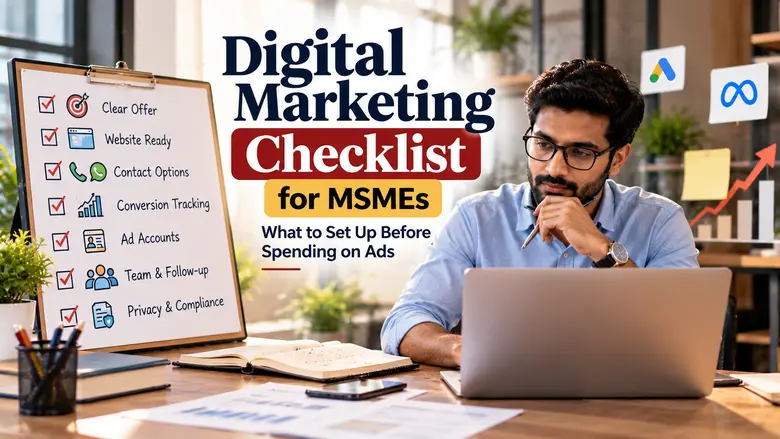
Digital Marketing Checklist for MSMEs: What to Set Up Before Spending on Ads
Before an MSME spends on ads, five things should be in place: a clear offer, a mobile-friendly page that makes contacting you easy, working conversion tracking, ad accounts owned by your business, and a named person ready to respond to every inquiry. Advertising amplifies whatever already exists. If any of these is missing, paid traffic tends to leak away, and you will not be able to tell whether the ads or the set-up is at fault.
Use the grouped checklist below, then the launch-readiness flow, to decide whether to launch now or fix a few things first.
☑Key takeaways
- Some items are blockers (no launch until fixed); others can improve after launch. Know the difference.
- Test every contact route yourself: submit the form, tap the call button, send the WhatsApp message.
- Confirm that conversions actually record in your ad account before spending real budget.
- Keep admin control of ad accounts, billing and your Business Profile inside the business.
- Publish a privacy notice if you collect personal details through forms.
01Why readiness matters
Ads send people to your business faster than any other channel, which is exactly why gaps become expensive. A broken form, a phone number nobody answers or an unclear page wastes every click that lands there. Just as important, missing tracking means you cannot learn from the spend: you will not know which campaigns, searches or messages produced customers.
Getting ready is not about perfection. It is about removing the problems that would make your first campaign impossible to judge.
02The readiness checklist
Work through each group. Items marked Must-have should be in place before launch.
🏷Offer
- ✓Must-have: You can state in one sentence what you are advertising, for whom and where.
- ✓You know which products or services have the margin to support paid acquisition.
- ✓Price, price range or starting price is available, or you have a clear reason not to show it.
- ✓You have a reason to act now that is true: availability, season, booking slots or a genuine offer.
- ✓Stock, capacity or appointment slots can handle an increase in demand.
📱Website or landing page
- ✓Must-have: The page ads will link to matches the ad’s offer, not just your homepage.
- ✓Must-have: On a phone, a visitor can call, WhatsApp or submit a form within one or two taps.
- ✓The page loads quickly on a mobile connection.
- ✓Business name, address or service area, and contact details are visible and consistent with your Business Profile.
- ✓Real photos of products, premises or team are used where possible.
- ✓Forms ask only for what you need to qualify and respond.
📈Tracking
- ✓Must-have: At least one meaningful action is tracked as a conversion, such as a form submission, call or WhatsApp click. Google Ads’ conversion measurement can record website actions and phone calls.
- ✓Must-have: You have tested that a conversion appears in the account after a test submission.
- ✓Website analytics is installed and linked to your ad accounts where relevant.
- ✓You have a simple sheet or CRM to record which inquiries become customers.
- ✓Staff know to ask new customers how they found you.
🔒Accounts and access
- ✓Must-have: Ad accounts and billing are in your business’s name, with at least one admin login held inside the business. Google Ads explains its access levels so you can give partners only what they need.
- ✓Your Google Business Profile’s primary owner is someone in your business, with agencies added as managers.
- ✓Business documents are ready in case the platform asks for advertiser verification, which can involve submitting identity or business documents.
- ✓Payment method, GSTIN and invoice details are entered correctly.
- ✓Your domain and hosting logins are stored securely by the business.
📞Sales process
- ✓Must-have: A named person is responsible for responding to ad inquiries, with a backup for leave days.
- ✓Notifications for new inquiries reach that person’s phone, not just a rarely checked inbox.
- ✓A short script or checklist exists for the first call or message.
- ✓Price lists, brochures or catalogues are ready to send.
- ✓Working hours for responses are defined, and customers are told when to expect a reply.
🛡Policies and compliance
- ✓Must-have: A privacy notice explains how you use details submitted through forms. Google’s lead form assets, for example, require a privacy policy link.
- ✓You have reviewed your obligations under the Digital Personal Data Protection Rules, 2025, which were notified in November 2025 with a phased compliance period.
- ✓Ad claims are accurate and can be substantiated.
- ✓Any professional advertising rules for your field have been checked.
03Blockers vs improvements
Not everything needs to be perfect on day one. This table separates what should stop a launch from what can be improved while campaigns run.
| Area | Fix before launch | Can improve after launch |
|---|---|---|
| Offer | Clear offer and capacity to fulfil it | Testing alternative offers and messages |
| Website | Relevant landing page; working mobile contact options | Design polish, extra pages, speed fine-tuning |
| Tracking | One tested conversion action | Offline sales import, detailed dashboards |
| Accounts | Ownership, admin access, billing | Additional user roles and reporting access |
| Sales | Named responder and notifications | CRM, scripts, nurture sequences |
| Compliance | Privacy notice for forms; accurate claims | Fuller data-handling documentation as your process matures |
04Launch-readiness decision flow
Answer each question honestly. This is a practical sequence, not a scored assessment; any “no” simply tells you what to fix next.
- Check 1Can you describe the offer, audience and location in one sentence?
Yes: continue.No: clarify the offer first.
- Check 2Can a mobile visitor contact you within two taps on the page the ad links to?
Yes: continue.No: fix the landing page.
- Check 3Has a test inquiry shown up as a conversion in your ad account?
Yes: continue.No: set up and test tracking.
- Check 4Does your business hold admin access and billing for the ad account?
Yes: continue.No: transfer or recreate ownership.
- Check 5Is a named person ready to respond, with notifications on their phone?
Yes: launch a small, focused test campaign.No: assign an owner first.
Text summary: clear offer, easy mobile contact, tested conversion tracking, business-owned accounts and a named responder. If all five are in place, start with a small test and review it on a date agreed in advance.
05A pre-launch test run
Spend 30 minutes doing what a customer would do. It catches most problems before they cost money.
- 01Open the landing page on a phone using mobile data, not office Wi-Fi.
- 02Tap the call button and check who answers and what they say.
- 03Send a WhatsApp message and check the greeting and response time.
- 04Submit the form with a test entry and confirm the notification arrives.
- 05Check the ad account to confirm the test conversion was recorded; some platforms take a while to show it.
- 06Record the test inquiry in your sheet or CRM to confirm the whole path works end to end.
If you would rather have a team check and fix these foundations, Brand Chanakya’s website development services cover landing pages, and our SME and MSME marketing support starts with an audit of your current set-up.
06Scoping your first test campaign
Once the checklist is complete, keep the first campaign deliberately narrow. A small, focused test produces cleaner lessons than a broad launch across every product and platform.
- One objective. Calls, form inquiries or store visits, not all three with equal weight.
- One offer or product group. Choose the one with the best margin and clearest demand.
- One defined area. A city, a radius or a set of districts you genuinely serve.
- A budget you can afford to learn from. Treat it as the cost of information, not a guaranteed return.
- A written review date and criteria. Decide in advance what you will look at: number of inquiries, share that are qualified, cost per qualified inquiry, and any early sales.
Keep a short log of changes during the test: when budgets, keywords, ads or landing pages changed and why. When you review, the log explains shifts in the numbers that would otherwise be confusing. It also helps if you later bring in an agency or a new team member, because they can see what has already been tried.
After the review, choose one of three paths: scale what worked, fix a specific weakness and retest, or stop and move budget elsewhere. Any of these is a good outcome, because it is based on evidence from your own market rather than assumptions.
07Common mistakes and how to avoid them
!Launching on the “boost post” button
Boosting social posts without tracking or a clear destination often buys attention but not inquiries. Set up a proper campaign with a defined goal.
!Tracking page views instead of actions
Visits alone do not tell you whether ads bring business. Track calls, forms and chats.
!Launching before a busy season without testing
Test the set-up a couple of weeks before peak demand, so problems surface while stakes are low.
!Forgetting capacity
More inquiries than your team or stock can handle leads to poor experiences and bad reviews. Scale spend with capacity.
08The bottom line
A digital marketing checklist for MSMEs is not bureaucracy; it is protection for your ad budget. Clarify the offer, make contacting you effortless, prove your tracking works, keep your accounts, and make sure someone is ready to respond. Then launch small, learn, and scale what works.
09Frequently asked questions
Do I need a full website before running ads?+
Not necessarily. A single focused landing page with clear contact options can be enough to start. What matters is that it matches the ad and works well on mobile.
What is the minimum tracking I should have?+
At least one tested conversion for your main action, such as a form submission or call, plus a way to record which inquiries became customers.
My agency created the ad account. What should I do?+
Ask them to add your business as an admin and move billing to your business, or to transfer ownership. Do this while the relationship is working well.
Is a privacy policy really necessary for a small business?+
If you collect personal details such as names and phone numbers through forms, you should explain how you use them. Some ad formats require a privacy policy link, and data protection rules apply. Get specific advice for your business.
How long should the first test campaign run?+
There is no universal duration. Run it long enough to collect enough inquiries to judge quality, agree a review date in advance, and avoid major changes in the first few days unless something is clearly broken.
Want a second pair of eyes before you launch?
Share your landing page and plans. Ask for a readiness review that lists what to fix now and what can wait.
📚 You Might Also Like
How to Choose a Digital Marketing Agency for Your SME or MSME
Qualified B2B Lead Generation for MSMEs: A Practical Guide
Digital Marketing Services for SMEs & MSMEs
Web Development Services: Responsive, High-Converting Websites