
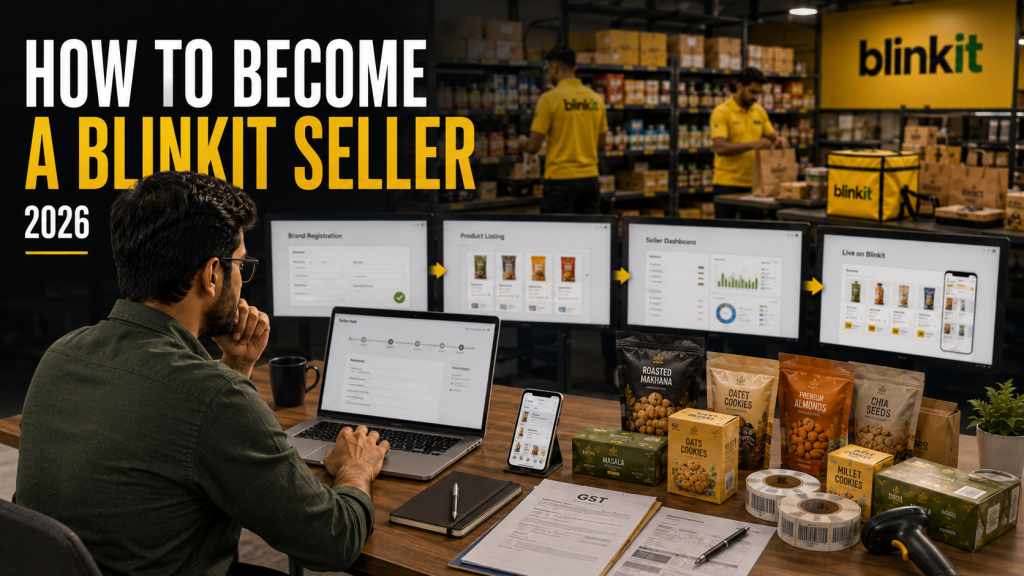
Every week, FMCG and D2C founders ask us the same question: how to become Blinkit seller when you’re already doing well on Amazon and Flipkart. The honest answer surprises most of them. Unlike Amazon, where you can create a seller account and list a product within a day, Blinkit runs a curated, category-managed marketplace. You don’t list products yourself — a Category Manager approves them, purchase orders are raised against your inventory, and your stock physically sits in Blinkit’s dark stores.
That structure is exactly why brands that prepare properly go live in 15–30 days, while brands that treat it like a typical marketplace signup often take 45–60 days and burn goodwill with their assigned Category Manager along the way. This guide walks through the real process — eligibility, the commercial models Blinkit offers, the step-by-step journey from application to go-live, and where brands actually lose time.
It’s worth understanding why the bar is set this way. Blinkit’s entire promise to customers is a 10–20 minute delivery window, which only works if every dark store carries a tightly curated, fast-moving assortment. There’s no shelf space for slow sellers or unverified brands the way there is on a sprawling marketplace like Amazon. That’s a good thing for sellers who get it right — lower competition per SKU, higher conversion rates, and a genuinely premium selling environment — but it does mean the registration process rewards preparation over speed of signup.
✅ Is Your Brand a Fit for Blinkit?
Before opening the Seller Hub, check that your brand actually fits Blinkit’s model. It isn’t built for every category or every business stage.
| Criteria | What Blinkit Looks For |
|---|---|
| Business entity | Registered proprietorship, partnership, LLP, or private limited company with valid GST |
| Brand ownership | Trademark registration or, at minimum, a filed trademark application acknowledgement |
| Product category | Grocery, FMCG, personal care, beauty, baby care, home care, pet care, health & wellness, small electronics accessories |
| Price point fit | Impulse and daily-need items generally perform best — typically ₹50–₹3,000 per unit |
| Supply readiness | Ability to fulfil recurring purchase orders consistently, not a one-time batch |
| Compliance category add-ons | FSSAI (food/beverage), BIS (electronics), Drug License (OTC/Ayurvedic) as applicable |
None of these are hard blockers on their own — a pending trademark application or a brand that’s still refining its price point can still get approved. What matters more to your assigned Category Manager is whether the brand looks investable: a coherent product range, consistent packaging, a believable supply plan, and pricing that isn’t wildly out of step with comparable products already live in that category.
💡
We’ve published a full document-by-document checklist — GST, PAN, FSSAI, APOB, barcodes and more — in our Blinkit seller document checklist guide. Worth bookmarking before you start.
⚖️ The Two Commercial Models — SOR vs Marketplace
Most new-to-quick-commerce brands don’t realise Blinkit onboards sellers under two different commercial structures. Which one you’re offered usually depends on your category and scale.
| Model | How It Works | Best Suited For |
|---|---|---|
| SOR (Sale or Return) | Blinkit raises POs against your inventory and pays for what sells; unsold stock can be returned. Typically involves a PLA (Product Listing Advertisement) deposit per SKU per cluster, refunded as ad credit. | New brands, first-time quick commerce sellers, branded FMCG |
| Marketplace / Outright | Blinkit purchases inventory outright at a negotiated price; you’re not liable for unsold stock in the same way. | Established brands with strong sales history and negotiating leverage |
Commission on sales generally falls in the 10–20% range depending on category, brand negotiation, and city — Blinkit shares exact slabs directly during onboarding, so treat any number you see online as directional, not final.
🧭 Step-by-Step: The Blinkit Seller Registration Process
DAY 1
Apply on the Seller Portal
Register on Blinkit’s seller portal with your mobile number and OTP verification. Enter legal business name, GSTIN, entity type, registered address, and your primary product category.
DAY 1–5
Get Assigned a Category Manager
Blinkit doesn’t let you self-publish. A Category Manager (CM) is assigned to review your brand fit, product range, and pricing before anything goes further.
DAY 1–15 (parallel)
Submit Compliance Documents
GST certificate, PAN, business registration proof, bank details, trademark, and category-specific licenses (FSSAI, BIS, Drug License). Every document must show the exact same business name — this single issue causes more rejections than anything else.
DAY 1 (start immediately)
File APOB on the GST Portal
Add Blinkit’s cluster-specific dark store address as an Additional Place of Business on your GST registration. This step alone takes 7–15 working days — start it on day one, never as an afterthought.
DAY 10–20
Catalog & SKU Upload
Submit product name, barcode/EAN, MRP, pack size, shelf life, HSN code, and compliant product images (1000×1000px minimum, white background) for each SKU. Blinkit typically takes 3–7 days to approve each SKU.
DAY 15–25
Receive Purchase Orders & Ship to Dark Stores
Once approved, Blinkit assigns you to dark stores based on city and category, and raises purchase orders. Ship stock within the inwarding window — products then undergo a quality check.
DAY 20–30
Go Live
Products appear on the Blinkit app after quality approval. You now have access to the Seller Hub dashboard to track orders, fill rate, and settlements.
⏱️ How Long Does Onboarding Actually Take?
Published timelines vary — and that’s usually because they’re describing different starting conditions. Here’s a realistic breakdown:
Fully prepared
15–30 days
Minor document fixes
30–45 days
Unprepared / rework
45–60+ days
The gap between the fastest and slowest brands is almost never about Blinkit being slow — it’s about how many times a document, image, or APOB filing gets rejected and resubmitted.
🚧 Where Brands Get Stuck
📝
Business name mismatches
GST, PAN, bank account, and trademark showing slightly different name formats trigger automatic holds.
🏛️
APOB left for later
Treating APOB as a final step instead of a Day 1 parallel task adds 2–3 weeks by itself.
📸
Non-compliant images
Coloured backgrounds, low resolution, or missing MRP visibility cause SKU-level rejection cycles.
🍱
Missing category licenses
Food and beverage brands starting without a valid FSSAI license face a hard stop — there’s no workaround.
Individually, each of these looks like a minor paperwork issue. In practice, they compound. A rejected document doesn’t just cost the days it takes to fix — it resets your position in the Category Manager’s review queue, and a delayed APOB filing quietly keeps ticking in the background regardless of how ready everything else is. The brands that go live fastest aren’t necessarily the biggest ones; they’re the ones who treated document accuracy as the first task, not the last.
📈 What Happens After You Go Live
Going live is the starting line, not the finish line. Sales on Blinkit are driven by three compounding factors — fill rate, search ranking, and sponsored ad visibility — that need active daily management, not a one-time setup. Brands that treat their Seller Hub dashboard as a once-a-month check-in typically see sales plateau within the first few weeks, while brands that monitor stock levels, pricing, and ad spend daily tend to keep building momentum. We’ve covered what actually moves rankings and sales post-launch in a separate deep dive on growing your Blinkit account after go-live.
Getting listed on Blinkit is not the hard part. Staying visible once you’re live is.
❓ Frequently Asked Questions
Is there a fee to register as a Blinkit seller?
No — Blinkit doesn’t charge a registration fee. Under the SOR model, some categories require a per-SKU PLA deposit, which comes back to you as in-app ad credit rather than being a sunk cost.
Can I sell on Blinkit without a trademark?
Yes, at least to start. A filed trademark application acknowledgement is generally accepted during onboarding while your full registration (which can take 12–18 months) is pending.
Do I need a different registration for each city?
You register once as a seller, but each city cluster you sell in requires its own APOB filing on the GST portal, since inventory is stored at that cluster’s dark store.
What’s the single biggest cause of onboarding delay?
Business name inconsistency across GST, PAN, bank account, and trademark documents. It’s the single most common rejection reason and entirely avoidable with a pre-check.
Can an agency handle the registration process for me?
Yes — this is exactly what Blinkit account management covers: document preparation, APOB filing, Category Manager coordination, and catalog setup handled on your behalf so you’re not learning the process while losing time.
Don’t want to navigate onboarding alone?
Brand Chanakya handles registration, documentation, APOB filing, and catalog setup end-to-end — with a free account audit before you start.